Kanvo: AI Art & Photo Studio
- 3.8
- Rating
- 10.00K
- Installs
- Free
- Price

 Analysis by App-foxy
When I try an AI art app, I am less interested in a gallery of impressive examples than in what happens when I bring it an ordinary idea. Can it turn a rough thought into something I can actually use, or does it only produce attractive images that need a lot of fixing afterward? That is the question I kept in mind with Kanvo: AI Art & Photo Studio, a free Art & Design app from AppNations.
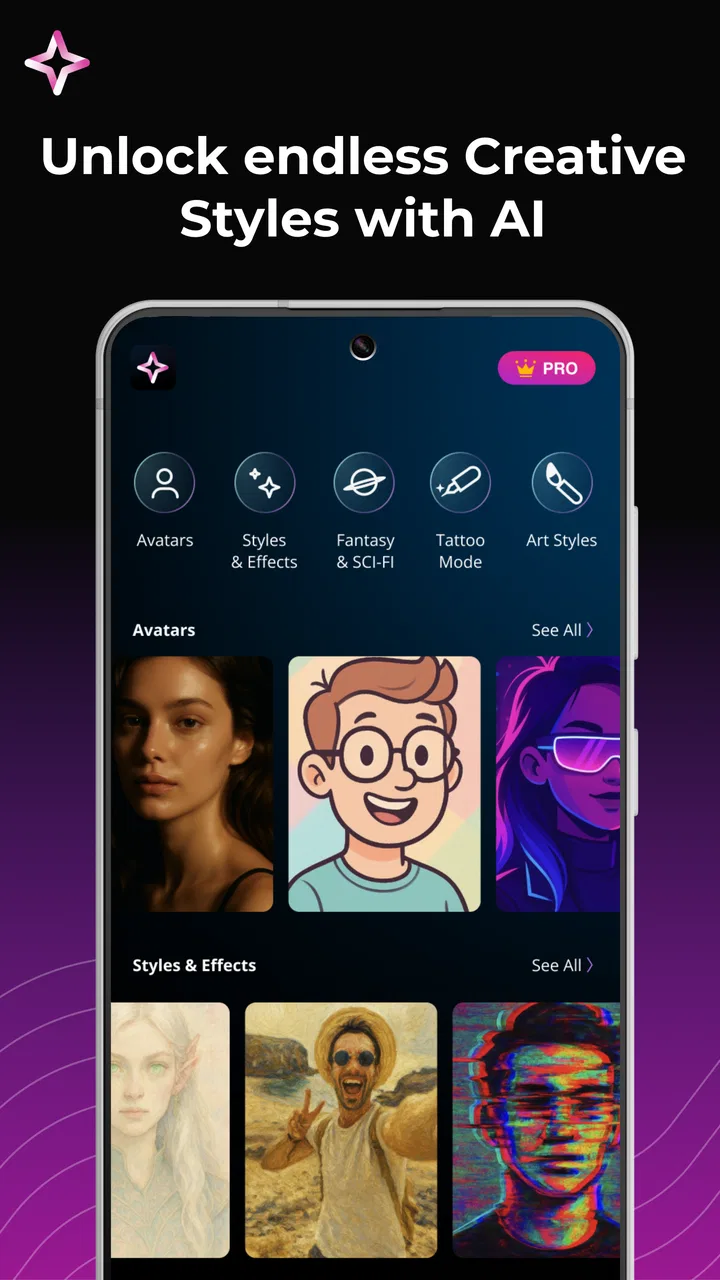
Its central appeal is straightforward: you describe the image you have in mind and let artificial intelligence build an artwork, portrait, or photo-style result from that direction. The experience is aimed at speed rather than a traditional drawing workflow. I do not need to begin with a blank canvas, choose a brush, or understand layers before seeing an idea take shape. For quick visual experiments, that difference matters.
Kanvo is available to users rated Everyone, supports Android 7.0 and later, and currently sits at version 1.0.15. It has passed the ten-thousand-install mark, with a 3.8 average from roughly sixty ratings and nine written reviews. Those figures suggest a young, still-developing product rather than a mature creative standard, so I would approach it as a convenient idea generator, not as a replacement for a full professional studio.
You May Also Like

 Blood Strike: 2.5 Anniversary
Blood Strike’s Loadouts Turn Every Drop Into a Tactical Gamble
A close look at Blood Strike’s custom loadouts: how fast access to signature weapons reshapes its battle royale rhythm, rewards preparation, and narrows the gap between fights.

 Pandora - Music & Podcasts
Pandora’s Music Is Easy to Start, but Harder to Recover
Pandora’s strength is its low-effort path from a seed to a station. Its weak spot is how much confidence it asks you to place in connection, setup, and quiet recovery.

 8 Ball Pool
 Is Built on Rivalries, Rematches, and Routine
A close look at the rivalries, rematches, shared routines, and unanswered safety questions that turn a quick pool match into a persistent mobile community.

 Samsung Music
’s Quiet Strength Is Playing What You Already Own
Its reach comes less from spectacle than from dependable access to a personal library. That simplicity is both the app’s strongest retention engine and its ceiling.

 AccuWeather: Weather Radar
AccuWeather Review: A Quick, Clear Forecast for Everyday Decisions
For everyday plans, the best forecast is the one you can understand quickly. AccuWeather makes rain timing, radar, and local conditions easy to act on, with a few trade-offs.

 Hill Climb Racing
Why Hill Climb Racing Still Turns Crashes Into One More Run
A tiny car, a bumpy hill and one more upgrade: Hill Climb Racing keeps resurfacing because its simple chaos makes every near-miss feel personal.
More From Our News Desk
View All News


Turning a vague idea into a usable image
The most valuable capability here is not simply that the app can make AI images. Many tools now claim that. The useful part is the reduction in distance between an idea and a visual draft. If I want a moody portrait, a poster-like scene, or a stylized image for a personal project, I can start with words instead of technical drawing skills.
That makes Kanvo particularly approachable for people who think visually but do not draw confidently. A small business owner can explore a mood for a social post, a student can create a visual reference for a presentation, and someone planning a birthday invitation can test an atmosphere before committing to a design. The app is most convincing when the goal is exploration: generating several possible directions quickly and deciding which one deserves more work.
I also like the distinction between inspiration and finished design. An AI-generated result can give me composition ideas, color relationships, clothing references, or a general emotional tone. It can help answer “what could this look like?” before I spend time recreating the concept in a conventional editor. That is a real advantage over opening a blank canvas in a drawing app and waiting for the first idea to arrive.
At the same time, I would not confuse an attractive first result with a finished piece. AI imagery can be persuasive at a glance while still having awkward details, inconsistent objects, or a composition that does not fit the intended use. Kanvo is strongest as a fast visual partner. It is less suitable when I need exact geometry, repeatable branding, precise typography, or complete control over every element.
What the prompt changes in real use
The quality of the result depends heavily on how clearly I describe the idea. A short request such as “a beautiful portrait” leaves too much open. A more useful instruction establishes the subject, setting, mood, lighting, color direction, and intended visual style. I get better creative control when I treat the prompt like a compact brief rather than a search term.
For example, instead of asking for a generic travel image, I would describe a quiet coastal morning, a single person viewed from behind, soft blue and warm gold tones, and enough open space around the subject for text. That final detail is easy to overlook, but it changes whether the image can serve as a poster background or social graphic. The same idea applies to portraits: specifying an expression, framing, and atmosphere is more useful than piling on vague adjectives.
A practical technique is to change one part of the request at a time. If I alter the subject, style, lighting, and composition together, I cannot tell which instruction improved or damaged the result. Keeping most of the description stable while adjusting one variable makes the process more deliberate. It also reduces the temptation to accept the first visually impressive image without checking whether it actually matches the intended purpose.
I would also keep prompts focused. Long descriptions can sound precise while containing conflicting instructions. “Minimal and highly detailed,” “dark but cheerful,” or “symmetrical yet spontaneous” may produce an interesting result, but not necessarily a predictable one. Kanvo works better for me when the main priority is clear and secondary preferences are added afterward.
A realistic everyday workflow
Imagine I need a quick image for a neighborhood event announcement. I might begin by asking for a friendly illustrated scene with the event’s general mood, then look for a composition with empty space where the title can go. If the generated image is too busy, I would revise the description toward a simpler background rather than trying to fix every distraction afterward.
Once I have a promising direction, I would treat the output as the visual base, not the complete announcement. I would add the actual date, location, and readable wording in a separate design tool. This is one of the most important trade-offs: AI image generators are useful for atmosphere, but text inside generated artwork is often less dependable than text added manually. Separating the image-making stage from the information-design stage gives me a cleaner result.
The same workflow works for a personal profile image. I can use the app to explore a particular mood or artistic treatment, then choose the version that feels closest to my personality. But I would still inspect the face, hands, accessories, and background carefully before using it publicly. A portrait that looks polished in a small preview may reveal strange details when enlarged.
For a creative journal, Kanvo can be even more useful. I can turn a sentence, memory, or imagined scene into a visual prompt and use the result as a starting point for writing or sketching. In that role, perfection is not the point. The app helps me make an abstract thought visible, which can unlock ideas that are difficult to express through words alone.
Where the fast approach saves time
Traditional alternatives each solve a different problem. A drawing app gives me direct control, but it expects me to create the image manually. A template-based design app is usually better when I need dependable layouts, readable text, and repeatable branding. A stock-image service is often safer when I need a conventional photograph with a predictable subject and composition.
Kanvo occupies a different space. It is better when the image is unusual, personal, or difficult to find in a ready-made library. It is also faster than drawing from scratch when I only need to compare visual directions. The trade-off is control. I can describe the destination, but I do not manipulate every road leading there.
This makes the app a poor choice for a strict production workflow that requires the same character, object, or layout to remain consistent across a series. It is also not the tool I would choose for technical diagrams, logos, exact product mockups, or any design where a small visual error could mislead someone. In those situations, vector software, a layout editor, or a carefully selected photograph is usually the better option.
The cost of convenience
Kanvo is free to install, but it includes in-app purchases ranging from $13.99 to $69.99 per item. That changes how I would evaluate the app. The free entry point makes experimentation easy, yet anyone planning frequent generations should consider the cost before building a regular workflow around it. I would first learn what can be done comfortably without paying and decide whether the results justify moving further into the paid side.
Because the app is still at version 1.0.15 and has a modest review history, I would keep expectations realistic about polish and consistency. A 3.8 average is neither a warning to avoid it entirely nor evidence that every experience will be smooth. It tells me to judge the app by my own use case, especially if I need dependable output for work rather than casual experimentation.
Another friction point is the human review that AI images still require. The app can save me from starting at zero, but it does not remove the need for taste. I have to notice when the subject is poorly framed, when the mood is wrong, or when an image technically follows the prompt but fails to communicate the intended message. The faster the generation feels, the more important that quick quality check becomes.
I would also avoid treating generated portraits as exact representations of a real person unless the result has been checked carefully and used appropriately. Small changes in facial structure, clothing, or expression can matter. For a playful avatar, that may be acceptable. For an image meant to represent someone professionally, I would be much more cautious and would prefer a workflow that begins with an authentic photograph and gives me controlled editing options.
Who will get the most from it
Kanvo makes the most sense for curious beginners, casual creators, students, social-media users, and anyone who regularly needs a quick visual starting point. If I have ideas but limited drawing experience, the app lowers the barrier to experimentation. If I already use a layout editor, it can serve as a source of custom backgrounds and visual concepts that I finish elsewhere.
It is also a good fit for people who enjoy iteration. The best experience is not “write one prompt and receive a perfect image.” It is closer to having a rapid conversation with a visual assistant: describe an idea, inspect the result, identify what feels wrong, and refine the direction. Users willing to make those small adjustments will gain more than users expecting a one-tap solution.
I would recommend skipping it if my priority were exact editing, professional retouching, stable brand assets, or guaranteed control over typography. In those cases, the usual alternatives are more dependable even if they take longer. Kanvo should complement those tools, not replace them.
For me, the strongest reason to try it is the way it turns an unformed visual thought into something concrete quickly. That can be genuinely useful before a drawing session, a presentation, a personal project, or a social post. The key is to use the generated image as a draft with potential, then apply human judgment and another tool when precision matters.
AppNations has positioned this release as an accessible art-and-photo experience rather than a complicated workstation. With its Everyone rating and Android 7.0 compatibility, it is easy to approach, and the free installation removes much of the initial risk. Still, the purchase range means I would explore patiently before spending money, especially while the app continues to establish itself.
My overall view is positive but measured. Kanvo is best when speed, imagination, and visual experimentation matter more than exact control. It can help me move from “I have an idea” to “I can see a version of it” in a short session. If that is the gap I need to bridge, it is worth trying. If I need a precise, repeatable design system, I would use it only for inspiration and finish the work somewhere more controlled.
FAQs for Kanvo: AI Art & Photo Studio
01What is Kanvo: AI Art & Photo Studio used for?
Kanvo: AI Art & Photo Studio is designed for creating and editing visual content with the help of artificial intelligence. It can be useful for generating artistic images, enhancing photos, experimenting with creative effects, and preparing graphics for social media or personal projects. The app is aimed at users who want accessible creative tools without needing advanced photo-editing experience.
02Is Kanvo: AI Art & Photo Studio free to download and use?
Kanvo may be available to download at no initial cost, but some features, styles, editing tools, or export options can require in-app purchases or a subscription. Before using the app extensively, check the pricing page and trial conditions carefully. Also review whether subscriptions renew automatically, since cancelling a trial or plan usually must be done through the Android or iOS account settings.
03Does Kanvo require an internet connection to create AI images?
Most AI-powered image generation and advanced processing features generally require an active internet connection because the requests are handled by remote servers. Basic functions, such as viewing previously saved images or accessing certain local editing tools, may work offline, depending on the version installed. For the best experience, use a stable Wi-Fi or mobile data connection.
04Can I use images created with Kanvo for commercial purposes?
Commercial usage depends on Kanvo’s current terms of service, the selected plan, and sometimes the source image or AI model used to create the result. Do not assume that every generated image is automatically cleared for advertising, merchandise, client work, or branding. Review the app’s licensing rules before publishing content commercially, and make sure you have permission to use any photos uploaded for editing.
05Is Kanvo: AI Art & Photo Studio safe for uploading personal photos?
Before uploading private or identifiable photos, review Kanvo’s privacy policy to understand how images are processed, stored, and possibly used to improve services. Avoid submitting sensitive documents, confidential business material, or photographs of other people without their consent. It is also wise to check the permissions requested by the app and remove access to photos, camera, or storage when those permissions are no longer needed.
Pros
- Creates varied AI artwork from simple text prompts.
- Includes photo-editing tools for enhancing and transforming images.
- Useful presets help beginners start creating quickly.
- Supports creative experiments without advanced design skills.
- Convenient for making social media images and profile pictures.
Cons
- AI results can vary noticeably between prompts.
- Some advanced features may require a subscription or credits.
- Generated images may include occasional visual artifacts.
- Processing can be slower when servers are busy.
- Privacy terms should be checked before uploading personal photos.

Kanvo: AI Art & Photo Studio
Gallery